- Should You Reset Windows 11?
 If your Windows 11 PC feels slow, unstable, or just wrong, you’re not imagining it. When things stop behaving normally, it’s stressful, and the fear of making it worse is real. … Read more
 - Software vs. Hardware Problems – How to Tell the Difference
 If your PC is acting strange, the hardest part is not fixing it. It’s figuring out what kind of problem this actually is. Slowdowns, freezes, loud fans, random restarts; all of … Read more
 - Is Something Wrong With My Windows 11 PC?
 A Calm Diagnosis Guide If your Windows 11 PC feels off, slower than usual, warmer, louder, or just not behaving the way it used to, you’re not alone. This guide is … Read more
 - Why Windows 11 Laptops Feel Slow Sometimes (Thermal & Power Limits Explained)
 If your Windows 11 laptop feels slow even though it’s not very old, you’re not imagining it.Apps take longer to open. Tabs lag. The fan ramps up, then everything suddenly feels … Read more
 - Windows 11 on HDD vs SSD: Why It Feels Slow (Even When Nothing Is “Wrong”)
 If Windows 11 feels slow even though nothing is crashing, freezing, or showing errors, this can be frustrating. Especially when the PC technically “works.”In many cases, the issue isn’t a setting … Read more
 - Explorer Lag in Windows 11: Why It Happens and How to Fix It Safely
 When File Explorer feels slow in Windows 11, it can make the whole system feel broken. You click a folder and wait. Right-click menus hesitate. Sometimes Explorer freezes for a second, … Read more
 - How to Undo or Uninstall a Windows 11 Update (When Something Breaks)
 If your PC started acting up right after a Windows 11 update, you’re not imagining it.Updates are meant to fix things, but sometimes they introduce new problems instead. This guide walks … Read more
 - Windows 11 Slow Startup vs Slow Desktop: How to Tell the Difference
 If your Windows 11 PC feels slow, the first thing to figure out is when it’s slow. Some computers take forever to boot, but feel fine once you’re at the desktop.Others … Read more
 - Windows 11 Stuck on Restarting After Update (Infinite Loop Fix)
 If your Windows 11 PC is stuck on “Restarting” after an update and never finishes, you’re not alone. The screen may spin endlessly, reboot again and again, or sit there for … Read more
 - Windows 11 Slow After Update? What’s Normal and What Isn’t
 If your Windows 11 PC feels slower right after an update, you’re not alone. This is one of the most common complaints after major and even routine Windows 11 updates. The … Read more
 - How to Safely Free Up Disk Space on Windows 11 (C: Drive)
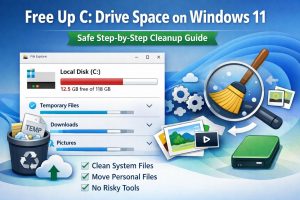 If your Windows 11 PC feels slow and storage warnings keep popping up, the C: drive is usually the reason. This is the main drive Windows depends on for updates, virtual … Read more
 - Why Low Free Disk Space Slows Down Windows 11
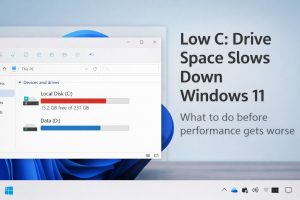 If your Windows 11 PC feels sluggish, unresponsive, or oddly inconsistent, low free space on the C: drive is often the reason. This catches a lot of people off guard because … Read more
 - How to Check SSD Health on Windows 11
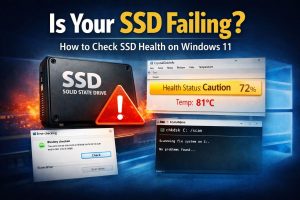 Your PC feels slower than it used to. Apps pause longer than normal. Boot times stretch out. Or Windows shows a vague disk warning that doesn’t explain much. At that point, … Read more
 - Why Windows 11 Uses So Much RAM (And When It’s Normal)
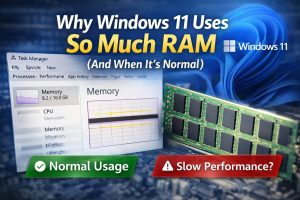 If you opened Task Manager and saw Windows 11 using a lot of RAM, it’s easy to think something is wrong. Especially if your PC feels slower than it used to. … Read more
 - Windows 11 Running Slow? How to Diagnose and Fix Performance Issues (Complete Guide)
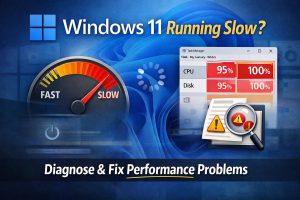 If your Windows 11 PC feels slower than it used to, you’re not imagining it. The reason common advice exists (reinstall Windows, “optimize” tools, registry tweaks) is because those are loud, … Read more
 - Official Fix for Windows Restart Issue Caused by KB5073455 (KB5077797 update)
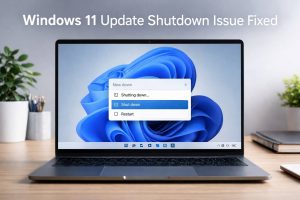 If your Windows 11 PC restarted instead of shutting down after installing KB5073455, Microsoft has now released an official fix: KB5077797. This update corrects the shutdown and hibernate behavior without requiring … Read more
 - How to Fix 100% Disk Usage and Freezes on Windows 11
 If your PC feels slow, freezes, or constantly shows 100% disk usage in Task Manager, it’s frustrating. You’re not alone; this is a common problem on Windows 11, and it’s usually … Read more
 - Windows 11 Startup Cleanup Checklist (Safe & Quick)
 Here is the checklist that is mentioned in my previous blog post. Read full article here: How to disable Unnecessary Windows 11 Startup Apps If your PC feels slow before you … Read more
 - Disable Unnecessary Startup Apps (The Right Way on Windows 11)
 You sit down, hit the power button, and… you wait. Then you wait some more. By the time Windows 11 finally loads, your cursor is lagging and apps are crawling. It’s … Read more
 - Windows 11 KB5073455 Update: What’s New, Fixes, and Known Changes
 What Does Windows 11 Update KB5073455 Include? KB5073455 is a cumulative security update released on January 13, 2026 for Windows 11 version 23H2. After installation, the system build updates to 22631.6491. … Read more